Video Feedback Tool for Freelancers
If you’re a freelance video editor, you know the feedback loop is often the slowest part of the job. Your client watches the cut, jots down some notes — “make the intro punchier,” “fix the color around 2:34,” “can you blur out that license plate?” — and sends them over in an email or spreadsheet. You spend half your time decoding vague timestamps and trying to match their notes to the right frame.
There has to be a better way. And there is.
The Problem with Traditional Video Feedback
Most feedback workflows for freelance video editors fall into one of three categories — and none of them are great:
- Cloud review platforms (Frame.io, Vimeo Review) require uploading your entire project. That’s slow on large files, costs money, and means your client’s footage lives on someone else’s server.
- Screen recording + voiceover produces huge video files that are hard to scrub through. Your client records a 20-minute walkthrough when they really just have 8 specific notes.
- Spreadsheets and emails with timestamps like “around 2:30-ish” that never quite match what you see in your timeline, because everyone’s player shows slightly different timecodes.
The core issue is the same in all three: you’re either sharing large files, relying on imprecise timestamps, or both.
A Better Approach: The Desktop Overlay
What if feedback could happen right alongside your video player — no uploading, no switching apps, no imprecise timestamps?
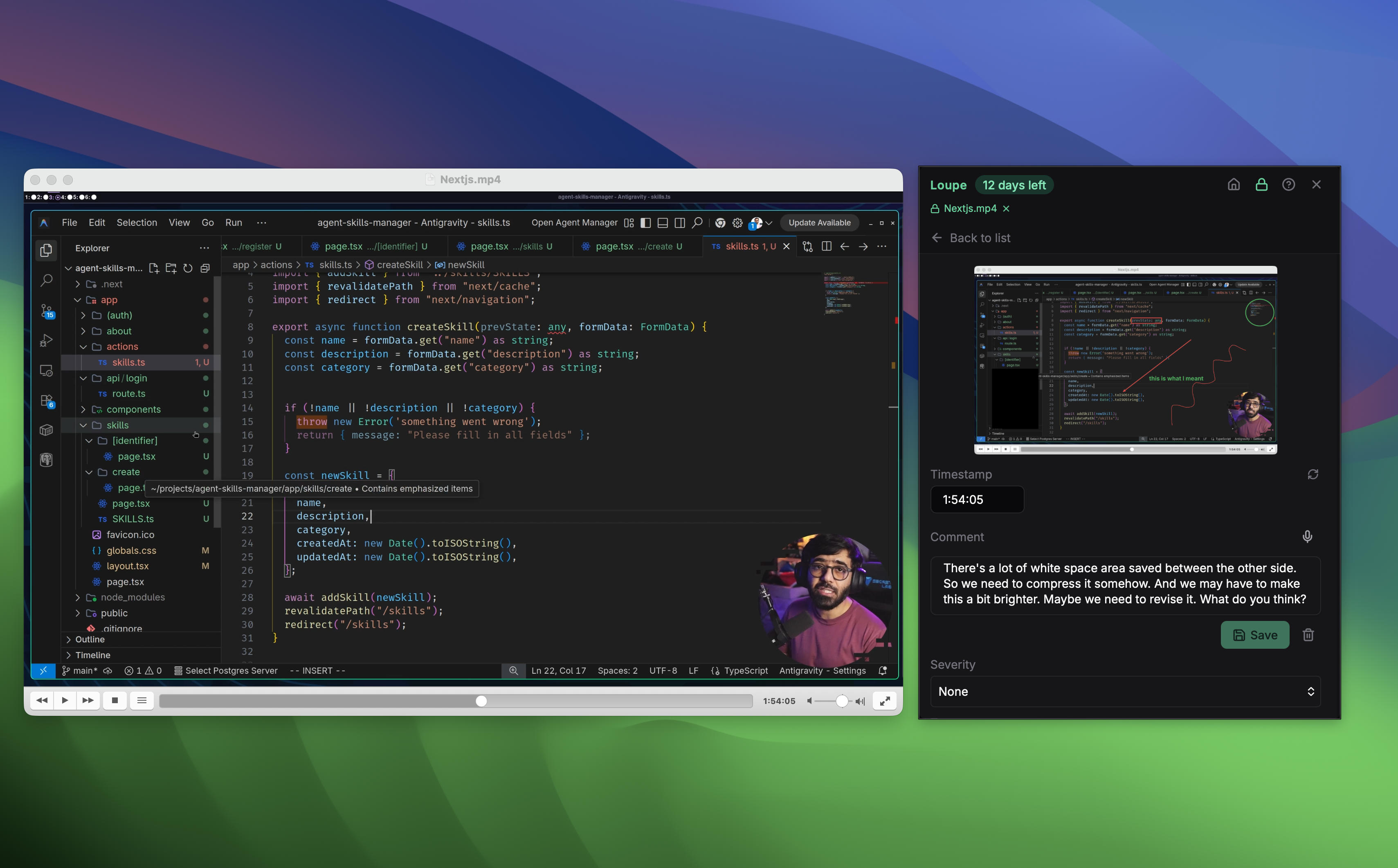
That’s the idea behind Loupe, a desktop feedback tool that floats as an always-on-top overlay next to any application. You play your video in Premiere, Resolve, Final Cut, or any player. When you (or your client) spots something worth noting, you capture a feedback point with one click. Loupe grabs a screenshot and uses AI to read the exact timestamp from your video player’s interface.
No file uploads. No cloud dependency. The footage stays on your machine.
How It Works: A Quick Walkthrough
1. Capture a Feedback Point
One keyboard shortcut captures a screenshot of whatever’s on screen. Loupe’s AI reads the timecode from your video player — whether it’s Premiere’s timeline, DaVinci Resolve’s viewer, or even a YouTube video in your browser. No manual timestamp entry needed.
2. Record Voice Feedback
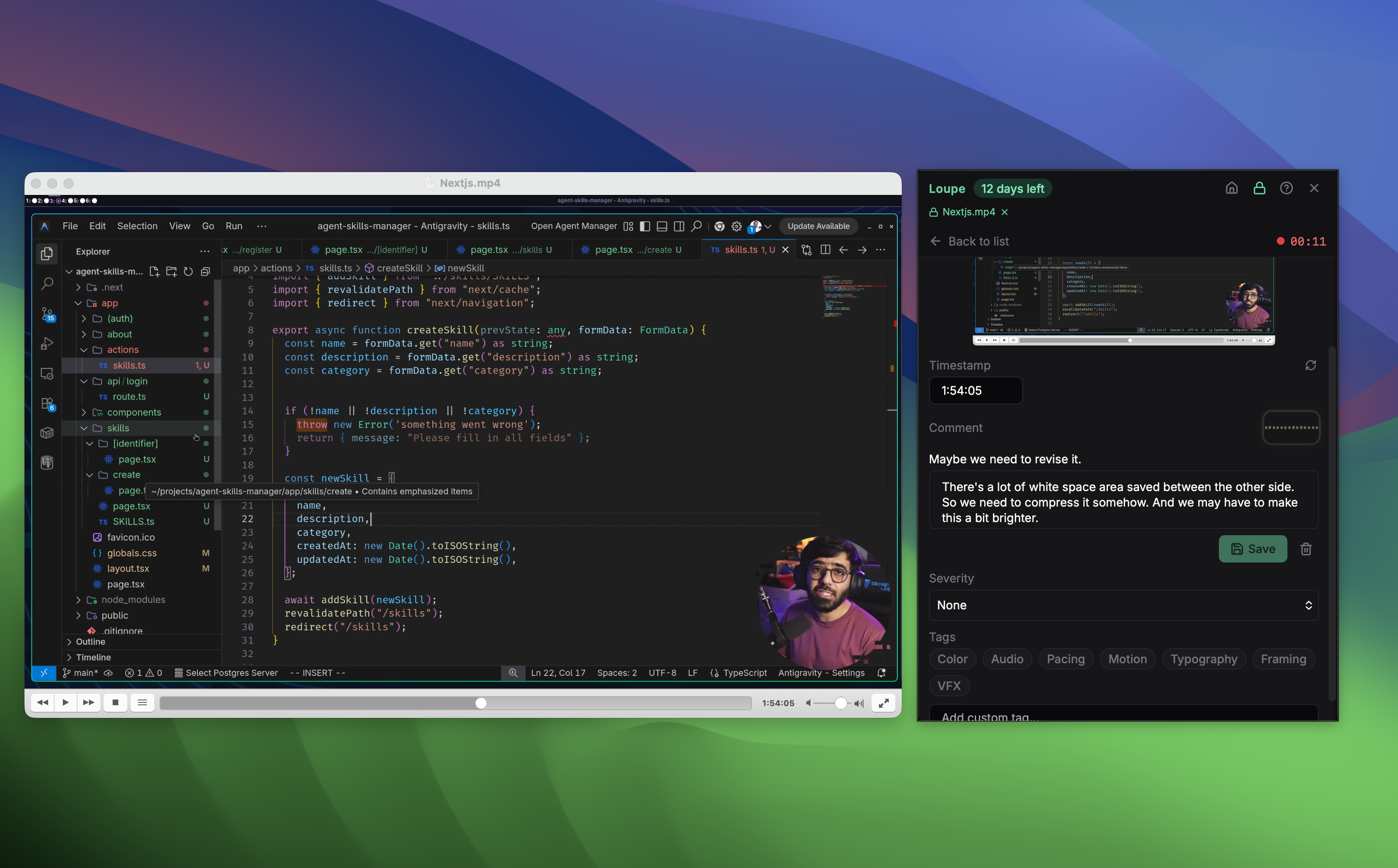
Instead of typing, speak your feedback. Loupe records your voice and transcribes it in real time using offline AI — you’ll see your words appear as you speak. A live waveform shows your audio levels so you know the mic is working. When you stop recording, the transcript automatically fills the comment field.
The transcription runs entirely on your machine using Whisper AI. No internet connection needed, and your audio never leaves your device.
3. Annotate the Screenshot
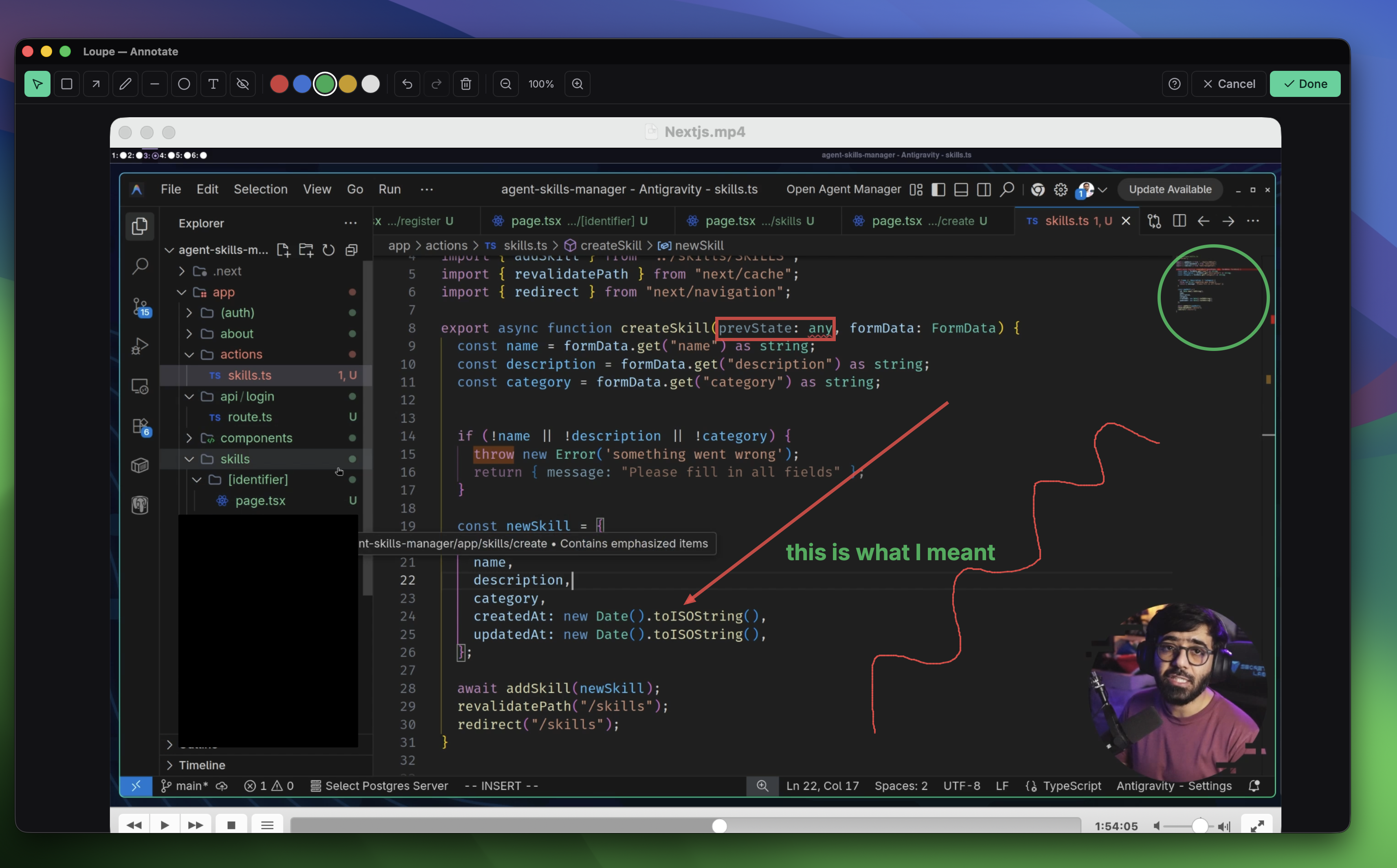
Open the full-size annotation editor to draw directly on the screenshot. Circle a problem area, add an arrow pointing to a specific element, place a text label explaining what needs to change, or blur out sensitive information before sharing. The editor supports rectangles, arrows, freehand drawing, text labels, circles, lines, and blur/redact — everything you need to communicate visual feedback clearly.
4. Export a Professional Report
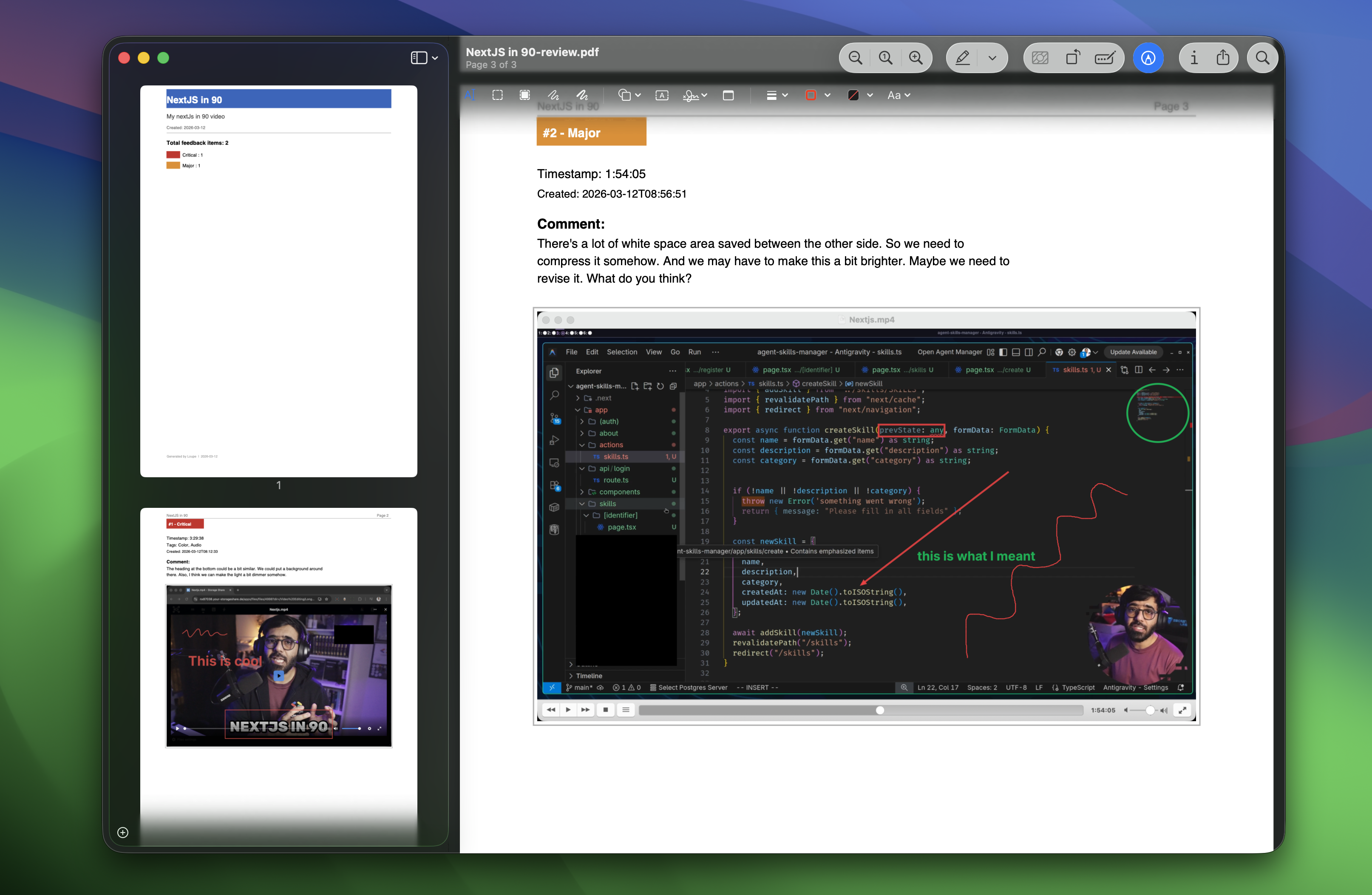
When you’re done, export everything as a branded PDF report. Each feedback point includes the timestamp, screenshot (with annotations), your comment, and a severity rating. The PDF has a cover page, page numbers, and a summary of statistics — it looks like something a professional QC house would produce. You can also export as Markdown or JSON if you prefer.
Why This Matters for Freelancers
As a freelancer, the tools you use reflect on your professionalism. Sending a client a polished PDF feedback report — with frame-accurate timestamps and annotated screenshots — is a fundamentally different experience than forwarding a rambling email with approximate time notes.
Here’s what makes this approach particularly suited for freelance work:
- Privacy-first. Your footage and feedback stay on your machine. No cloud uploads means no risk of client content leaking and no bandwidth bottlenecks on large projects.
- Works with anything. Loupe doesn’t care what video player or editor you use. Premiere, Resolve, Final Cut, Avid, VLC, a browser — if it’s on your screen, Loupe works with it.
- Predictable pricing. Loupe Pro is $39/month — flat, no per-project pricing, no per-seat surprises. Free tier covers GitHub Issues; upgrade only when you need Linear, unlimited projects, and team features.
- Works offline. Voice transcription, screenshot capture, annotation, and export all work without an internet connection. Review footage on a plane, at a coffee shop with spotty WiFi, or in an edit suite with restricted network access.
Get Started
Loupe runs on macOS, Windows, and Linux. The free tier covers GitHub Issues with no credit card. Pro is $39/month and unlocks Linear, unlimited projects, and team features.
Try Loupe free for 14 days
Download Loupe and start giving frame-precise feedback today. No credit card required.
Download Free Trial