Linear Integration
Found a bug?
It's in Linear in 30 seconds.
Loupe captures the screenshot, you annotate it, and one click sends a structured Linear ticket — severity, repro steps, screenshot embedded, attribution back to the source. No copy-paste, no Slack thread that dies, no losing the bug between tools.
The Loupe → Linear flow in 5 screenshots
One feedback item, one menu, one modal, one Linear issue. Here's the whole loop from a captured bug to a tracked ticket your team can pick up.
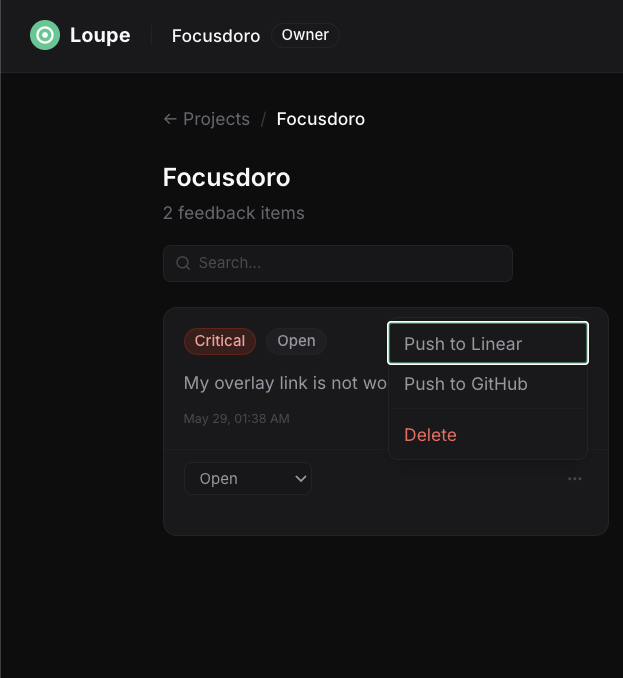
Step 1 — Open the feedback item menu. Inside the Loupe project view, every captured bug is a row. Click the 3-dot menu and you get the actions that matter: push to Linear, push to GitHub, delete. No nested settings, no "convert to issue" wizard.
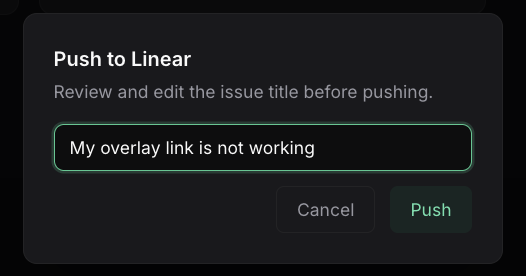
Step 2 — Confirm the issue title. Loupe pre-fills the title from the feedback comment so you don't retype. Edit if you want. Hit Push. That's it — no team picker dropdown explosion, no "select project, select status, select assignee" form.
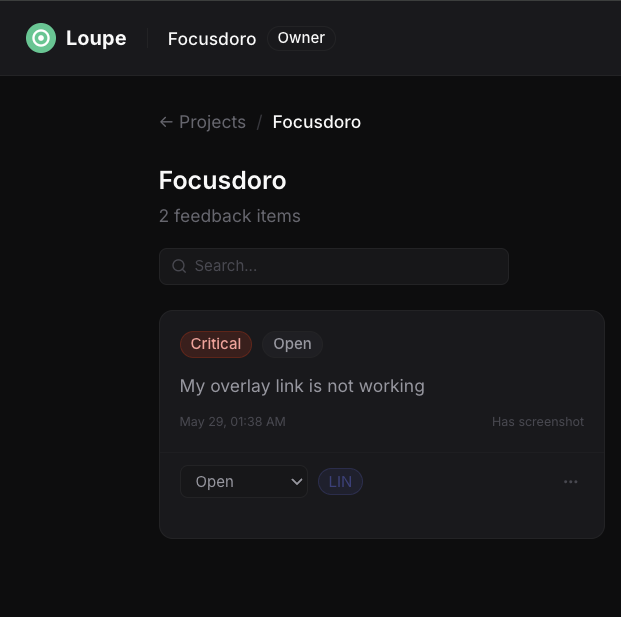
Step 3 — Loupe marks the feedback as pushed. A purple LIN badge appears on the row the moment the API call lands. The feedback is no longer "in the inbox" — it's a tracked ticket. Your team sees the badge in the kanban view too.
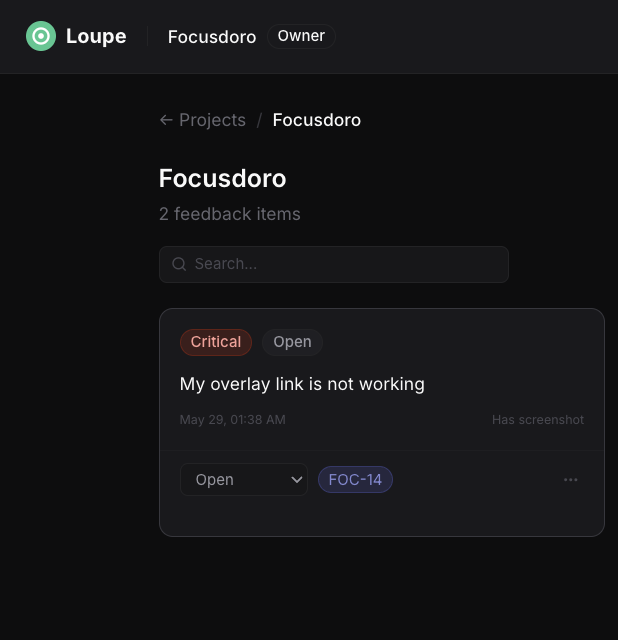
Step 4 — The Linear issue ID lands on the row. Once Linear assigns the identifier, Loupe swaps the placeholder for the real one. Click the badge to jump straight to the Linear issue.
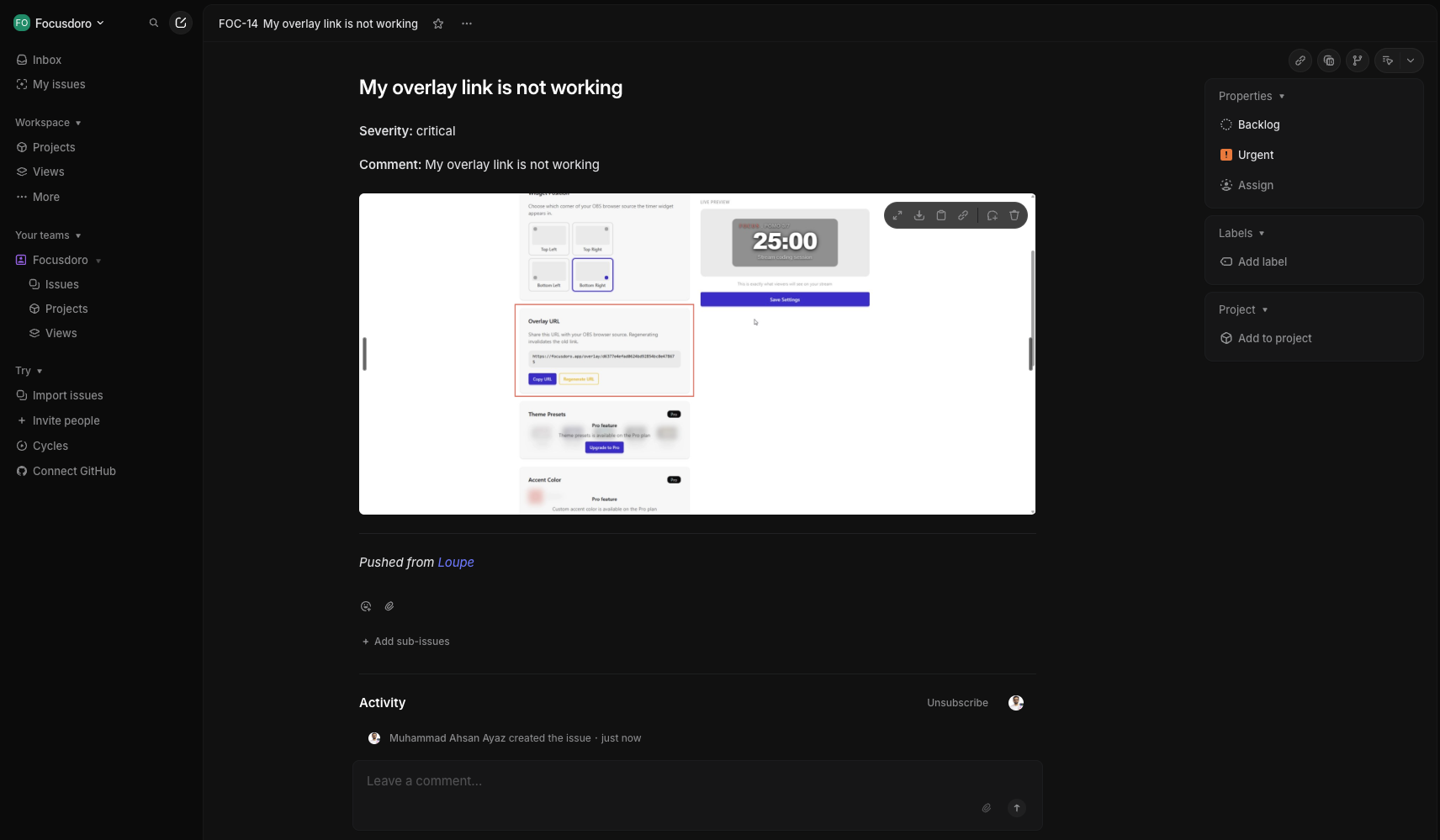
Step 5 — Open the ticket in Linear. Severity label is set. Repro steps are in the comment. The annotated screenshot is embedded. There's an attribution line — "Pushed from Loupe" — so anyone on the team knows where the report came from. The bug is now part of the sprint, not a Slack thread.
Why teams give up on the old workflow
Slack screenshot → "someone should make a Linear ticket for this" → nobody does. We've all been there. Three reasons the old loop breaks.
The Slack screenshot rots
You paste it in #bugs. Three messages later it's gone. Nobody scrolls back. The screenshot was never an issue — it was a thread, and threads die.
Copy-paste loses the metadata
The person creating the Linear ticket retypes the title, guesses the severity, forgets the repro steps, and uploads the screenshot manually. Half the context evaporates.
The bug becomes a thread, not a ticket
Without a Linear ID, there's no owner, no status, no sprint. The bug is just somewhere in chat. The team can't burn it down — they can't even see it on the board.
Loupe vs every other way to land a bug in Linear
| Feature | Slack screenshot | Loom recording | Manual Linear entry | Loupe |
|---|---|---|---|---|
| Bug visible to whole team | ||||
| Structured severity + type | ||||
| Repro steps captured at submission | Manual | |||
| Screenshot embedded in Linear issue | Manual upload | |||
| One-click Linear ticket | N/A | |||
| Customers can submit too (web SDK) | ||||
| Attribution back to source | Pushed from Loupe |
Linear is a registered trademark of Linear. Comparison reflects native capabilities of each workflow as of June 2026.
Why Loupe + Linear works
Loupe isn't trying to replace Linear. Linear is your tracker. Loupe is the intake layer that makes sure bugs actually get there with the context intact.
Linear OAuth, one-click connect
Click connect, pick the workspace, done. No API tokens to generate, copy, or rotate. Loupe holds the OAuth token, you hold the access — revoke from Linear settings anytime.
Severity + repro as real Linear properties
Severity lands as a Linear label, not free-text in the comment. Repro steps land as structured content, not "see attached image". Your triage queue stays filterable.
Inbound feedback → triage → push
Drop the @loupeink/web-sdk on your product. Customers submit bugs with screenshots. Your team triages them in Loupe, pushes the real ones into Linear. The noise stays out of your sprint.
Capture from Mac, web, anywhere
Native desktop overlay on macOS, Windows, and Linux. Browser widget for client-facing sites. The Linear push is the same single click from any surface — same ticket shape, same metadata.
Who reaches for Loupe with Linear
Product teams running QA
Internal QA captures regressions. Support forwards customer reports. Everything funnels into Loupe and the ones worth fixing go straight into the Linear sprint board.
Indie devs shipping with Linear
You're one person, Linear is your tracker, and you don't want a triage tool that costs $50/user. Loupe Free includes Linear integration — capture, push, ship.
Agencies on client Linear
Connect your client's Linear workspace, capture bugs during QA, push tickets directly into their tracker. The client sees structured issues in Linear, not a Notion doc they have to copy from.
Looking at this from a different angle? See the CleanShot alternative if you want structured feedback after capture, the BugHerd alternative if you're outgrowing per-seat pricing, or the Marker.io alternative if you want a lighter setup. Full integration list on the integrations page. Workflow walkthroughs live on the blog, and the homepage covers the rest of the product.
Stop typing Linear tickets. Push them.
Download Loupe, connect Linear in one click, and turn your next bug report into a tracked ticket before you've finished writing the Slack message.
Free tier includes Linear integration. No credit card.